
Appearance
Admin Dashboard
Use the admin dashboard to configure HAF Bot for each Discord server. Sign in at hafbot.xyz/admin, choose your workspace, then choose the server you want to manage.
Workspace access controls what you can do:
- Owner/Admin — view and change settings.
- Viewer — view settings without changing them.
Quick Tour
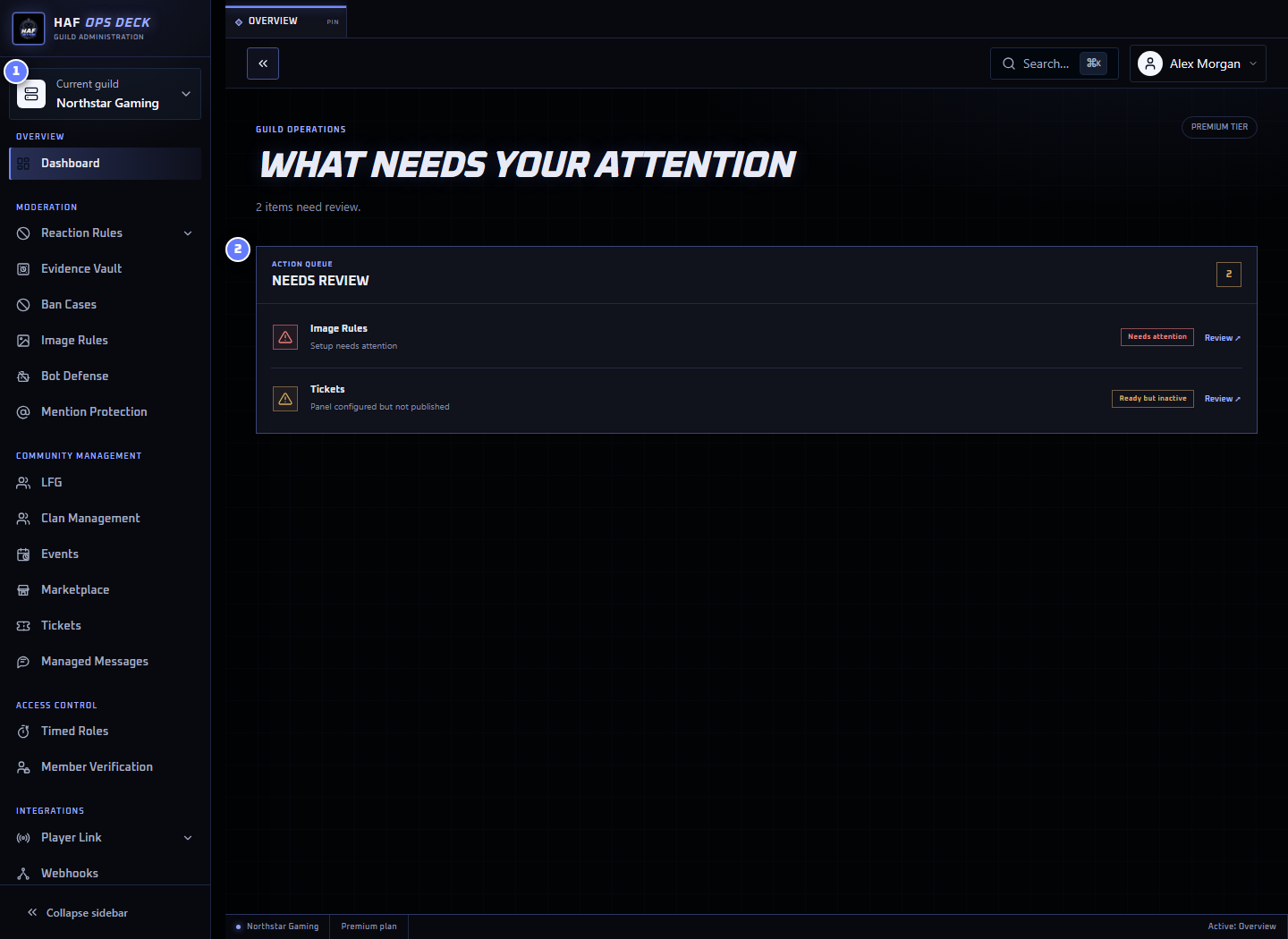
- Current Guild — the Discord server you are configuring.
- Action queue — setup problems and useful next actions for that server.
Always confirm Current Guild before editing. Most HAF settings are stored separately for each Discord server.
The overview prioritises incomplete or broken setup. Healthy features stay out of the way. When nothing needs attention, it suggests one useful improvement.
Saving and Publishing
Most configuration pages use a pinned action bar:
- Save stores the current configuration.
- Discard changes restores the last saved configuration.
- A disabled Save button means nothing has changed.
Some features also have Publish, Publish panel, or Publish noticeboard. Saving does not publish unless the feature page explicitly says it does. Complete both actions when setting up a new member-facing panel.
Setup Checks
A Setup check appears when saved configuration needs attention or is still being checked. It tests the saved channels, roles, resources, and Discord permissions without changing anything.
Setup checks do not:
- save unsaved edits;
- publish a panel;
- send a test message;
- create a member post; or
- trigger the live feature.
Save first, then select Recheck setup after changing Discord permissions, channels, or role ordering.
Troubleshooting
Open Troubleshooting when a configured feature cannot create, read, update, or delete the Discord resources it needs.
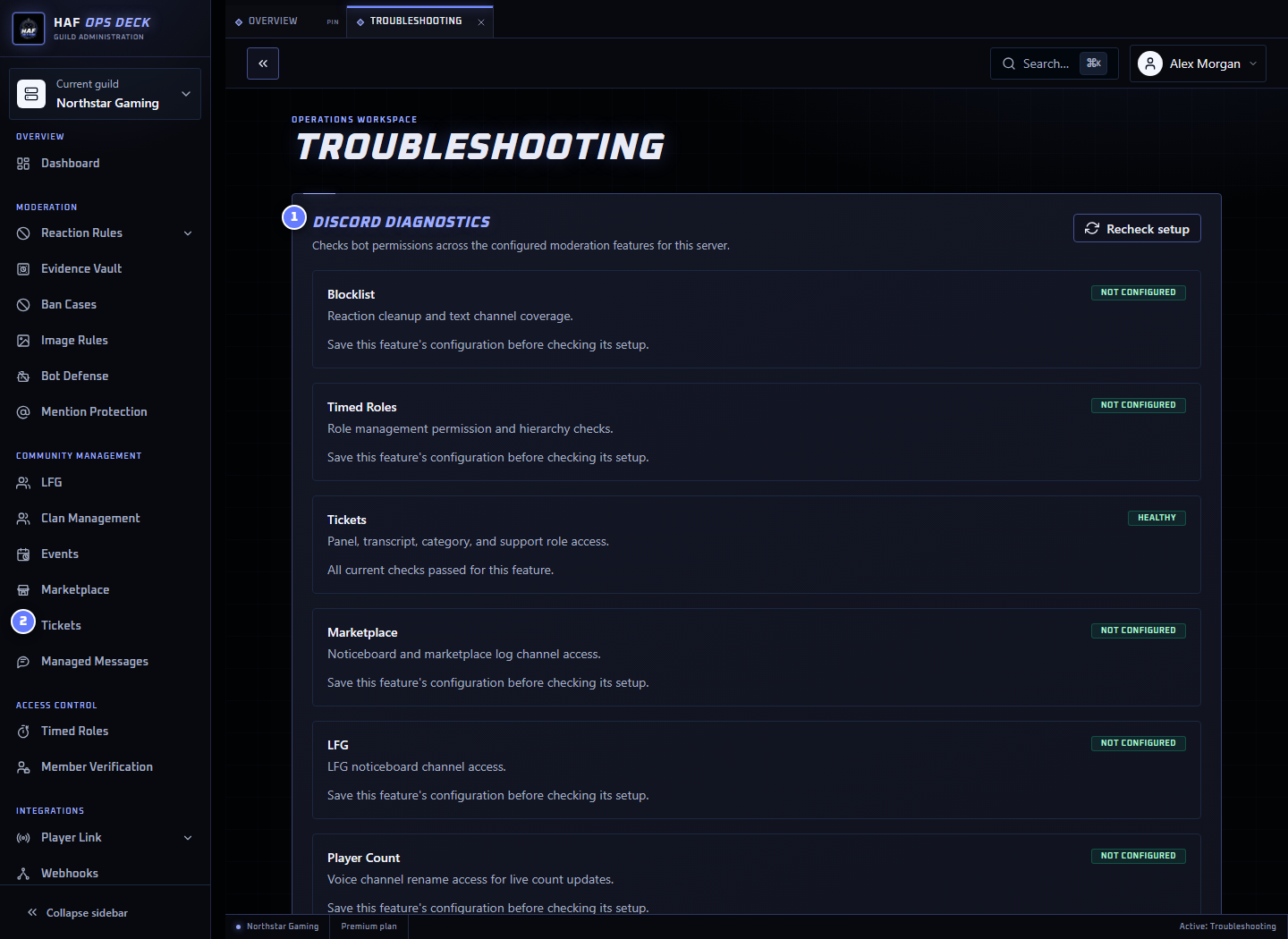
- Discord diagnostics — permission and resource checks for supported features.
- Feature result — whether the saved setup is healthy.
- Warning or error — the channel, role, permission, or setting that needs attention.
A warning may identify incomplete optional setup. An error normally blocks part of the workflow. Fix the named resource or permission in Discord, then run the check again.
Guild Settings
Guild Settings contains options shared by several HAF features.
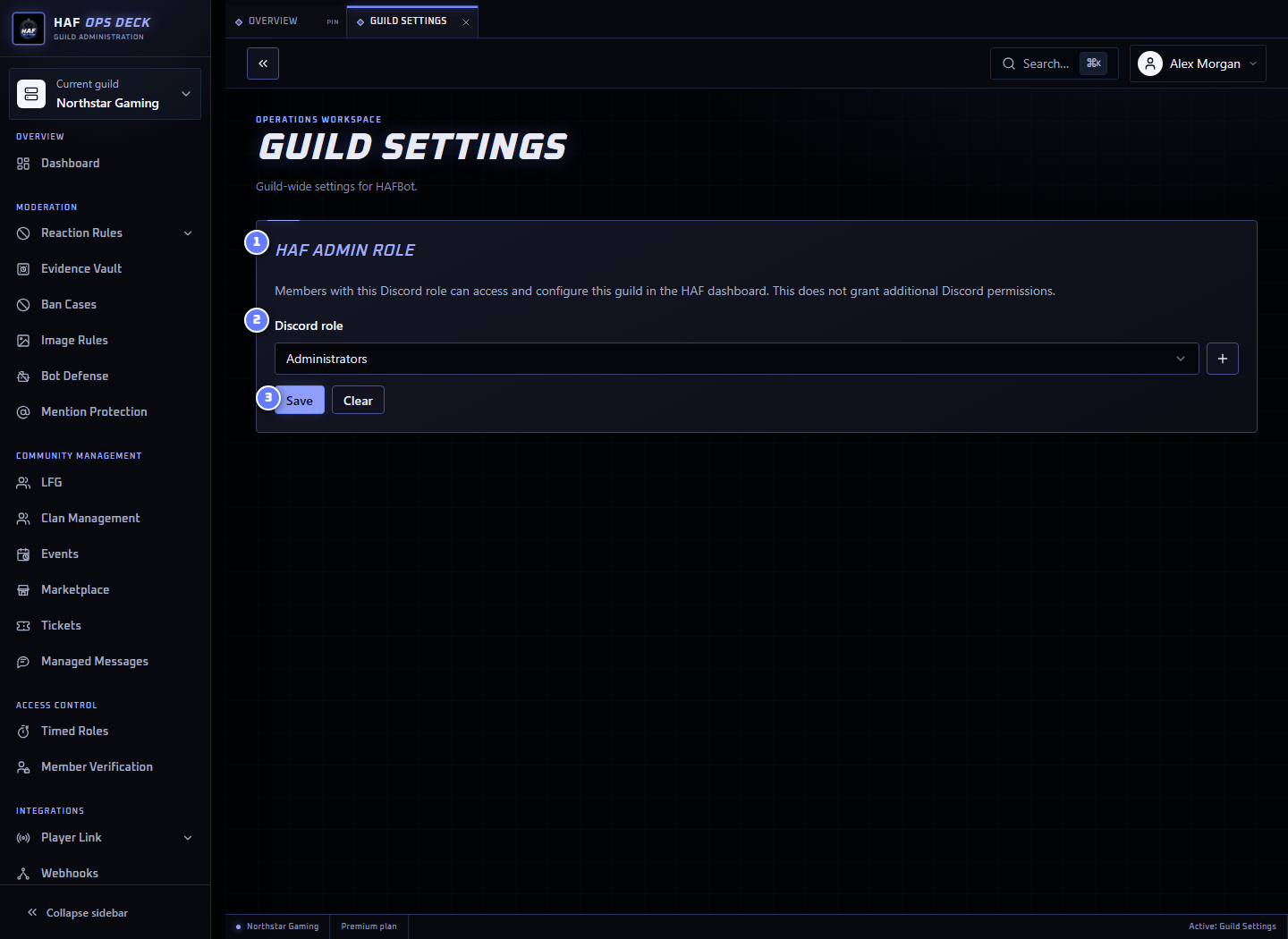
The HAF admin role grants members access to configure Guild features in the dashboard. Choose a staff role rather than a role held by ordinary members.
This setting grants HAF dashboard access only. It does not change the member's Discord permissions. After saving, test access with one member who has the role and one who does not.
Profile
Open the account menu and select Profile to manage your own dashboard preferences.
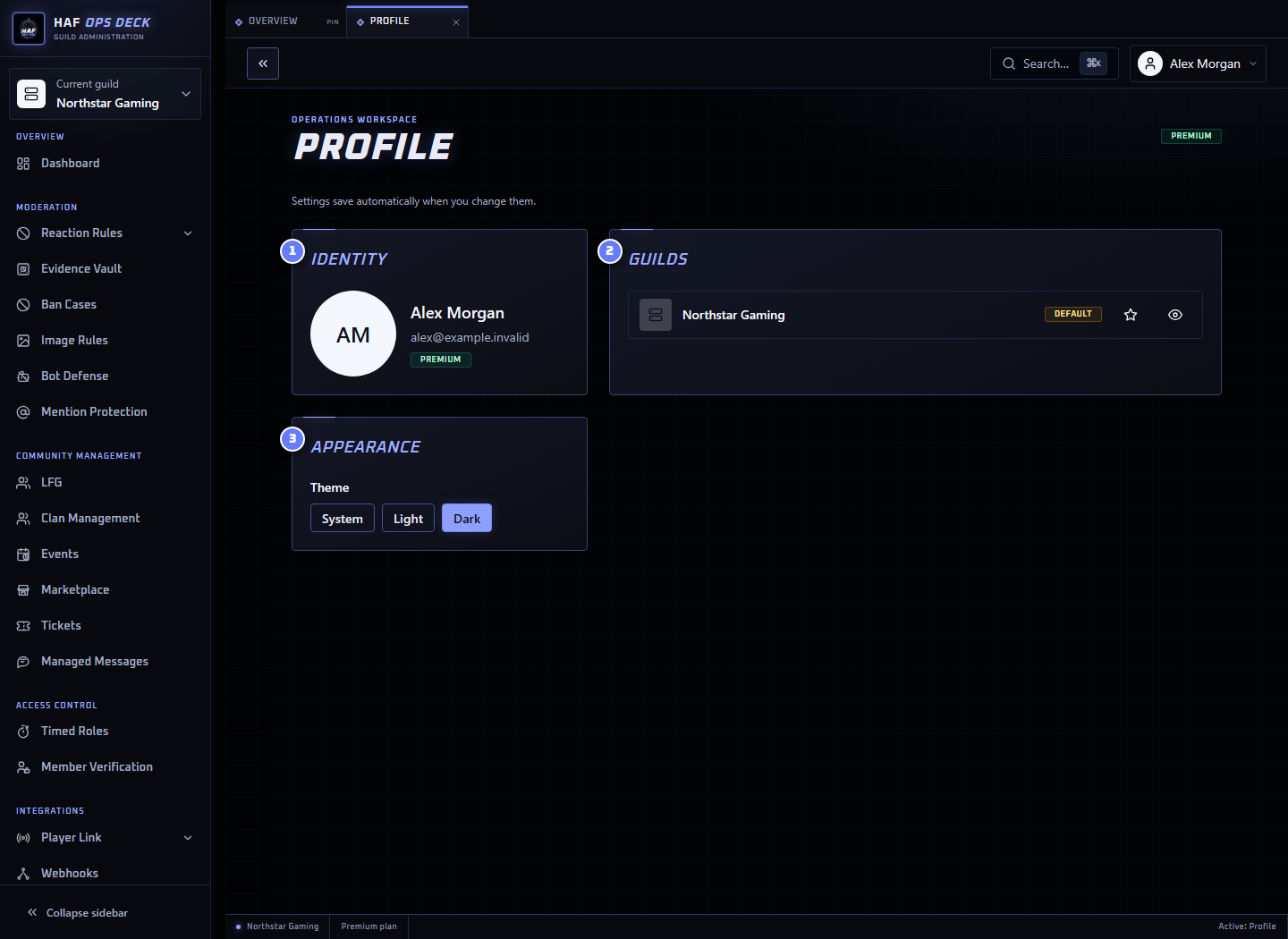
You can choose a default Guild, hide Guilds from your personal switcher, and select the dashboard theme. Hiding a Guild does not remove HAF Bot or change anyone else's access.
Billing
Use Billing to compare plans, manage the subscription, and assign paid capacity to Discord servers.
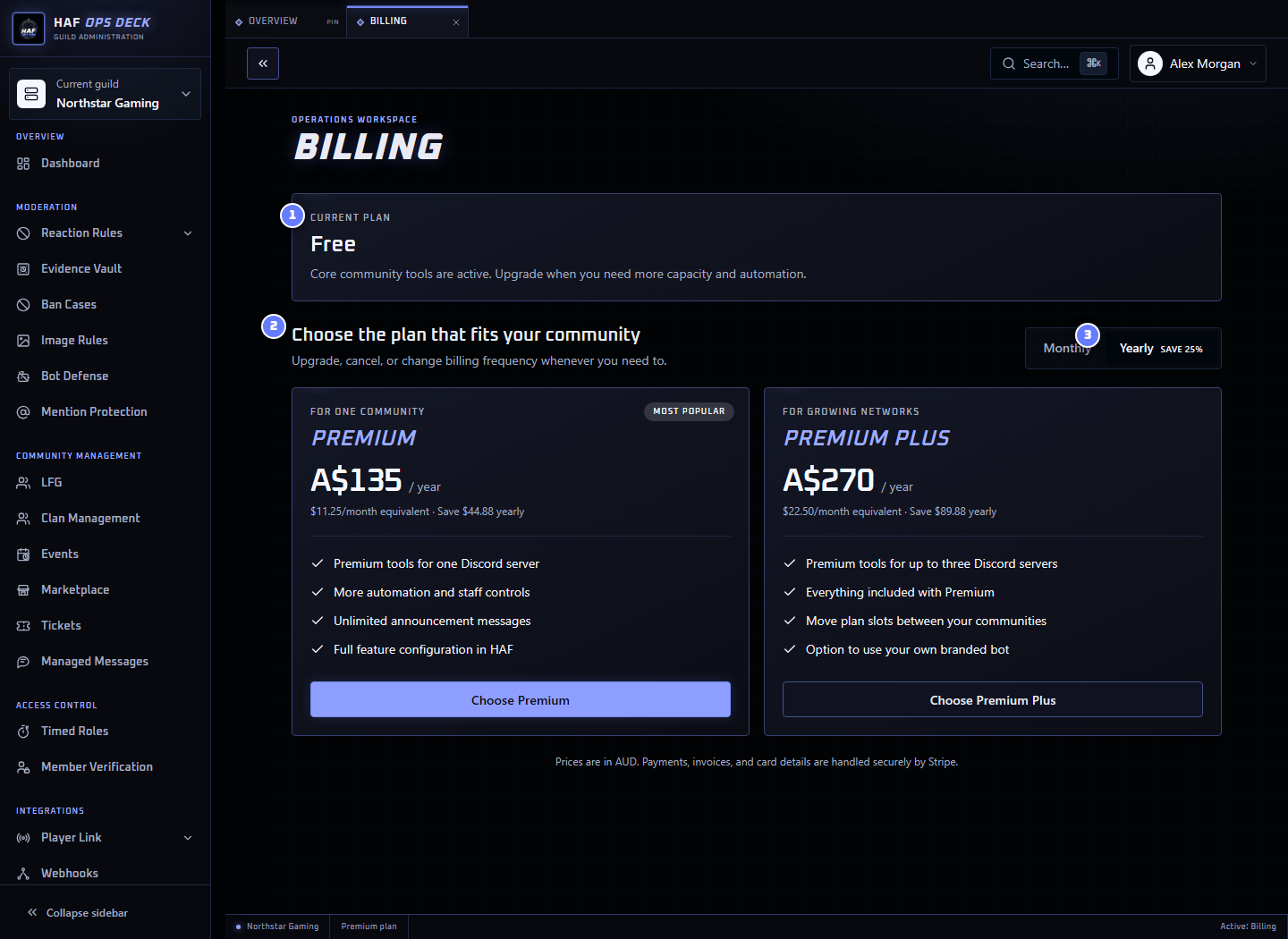
Checkout, invoices, payment methods, and cancellation are handled through Stripe. After subscribing, confirm the intended Discord server has an active Guild Assignment before configuring paid features.
See Compare Plans and Billing and Guild Assignments for details.
Stale Channels or Roles
The dashboard caches Discord names, channels, roles, and member counts. Gateway events normally keep this current.
When a channel or role is missing or looks outdated, use the dashboard refresh control or open Troubleshooting before changing feature settings.