
Appearance
Commerce
Restricted pilot — not generally available
This page describes the invite-only Commerce pilot. Production Commerce remains disabled until the required rollout approvals are complete. A Premium subscription does not by itself approve a seller or enable sales. Confirm availability with HAF support before planning a launch.
Commerce lets an approved Premium guild sell subscription access to a Discord role through the guild owner's connected Stripe account.
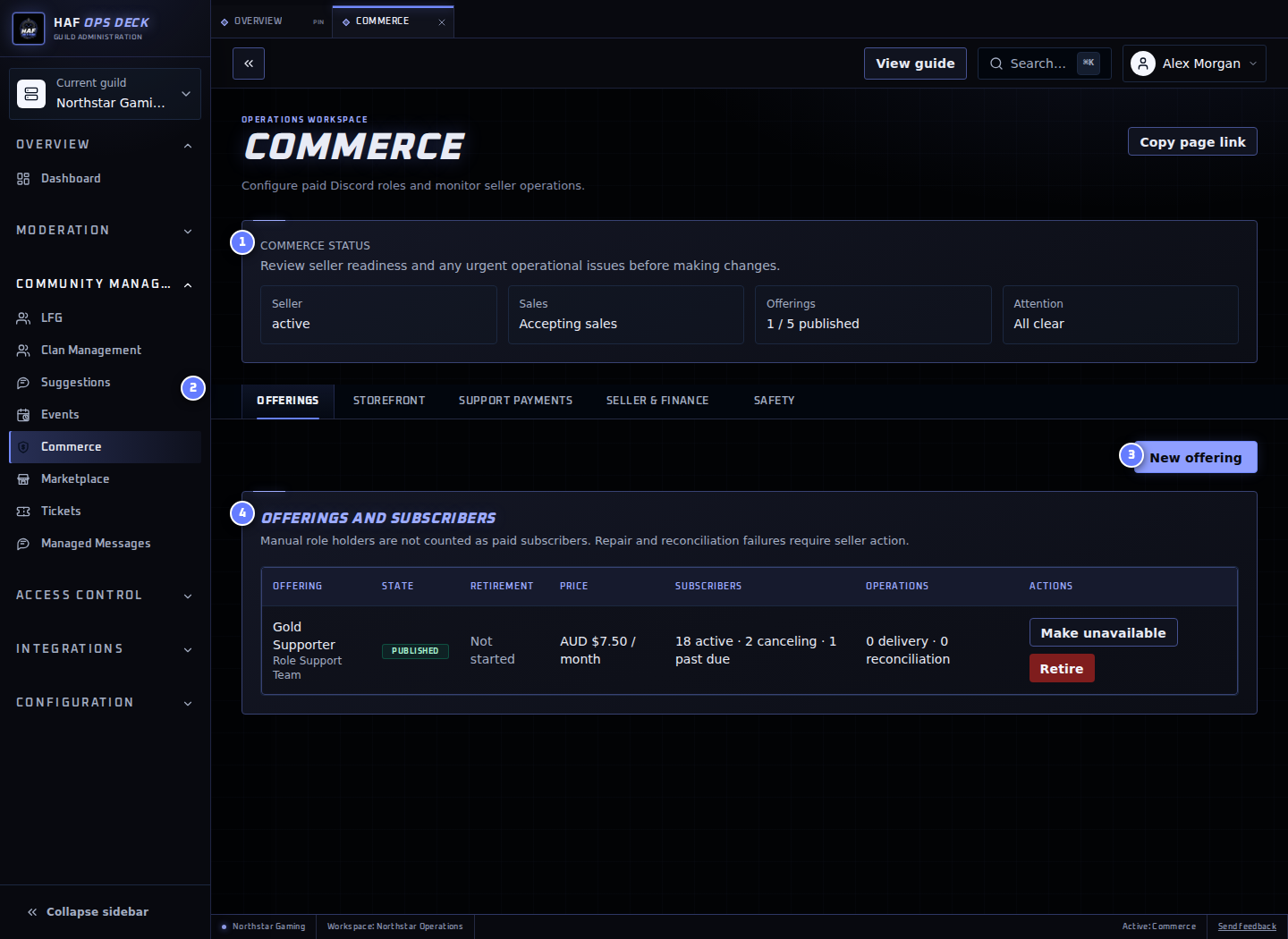
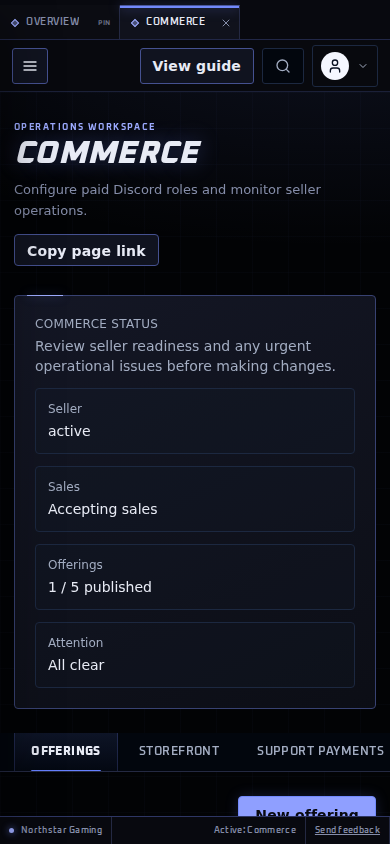
- Commerce status — a compact summary of seller readiness, sales availability, published offering capacity, and operational attention. Stripe Dashboard remains authoritative for balances, payouts, and Stripe fees.
- Commerce settings tabs — use these to move between Offerings, Storefront, Support payments, Seller & finance, and Safety without working through one long page.
- New offering — opens the paid-role form only when you are ready to create an offering.
- Offerings and subscribers — shows each offering's publication state, price, subscriber counts, and delivery or reconciliation issues.
Navigate Commerce
Commerce opens on Offerings. If a seller account has not been connected yet, it opens Seller & finance so the Guild owner can complete setup first.
- Offerings — create, publish, unpublish, retire, or archive paid-role offerings.
- Storefront — choose the public storefront accent and welcome message, then publish or manage the Discord sales-panel message.
- Support payments — configure the optional one-time Support this server payment and review its report.
- Seller & finance — connect or continue Stripe onboarding, review financial activity, and start or complete safe seller offboarding.
- Safety — review pilot limits and use the emergency controls for new checkouts, support payments, or renewals.
Create and publish an offering
- Complete seller onboarding and HAF pilot approval in Seller & finance.
- On Offerings, select New offering and choose a Discord role below HAF's highest role.
- Add the offering name, description, included benefits, AUD or USD price, and monthly or yearly interval.
- Review the 5% HAF fee, separate Stripe fees, settlement currency, and seller responsibilities.
- Publish. HAF rechecks Premium, seller capabilities, current terms, and the live Discord role hierarchy before making the offering available.
The pilot supports at most five published subscription offerings per guild and one published offering per Discord role.
Changes and retirement
Prices never change in place. Updating a price creates a new Stripe Price for future buyers; existing subscribers remain on their original price unless a controlled migration is performed.
Unpublishing stops new purchases while current subscriptions continue. Retiring also schedules current subscriptions to cancel at the end of their paid period and requires confirmation. Offerings with financial history are archived rather than deleted.
Read the dashboard
The status summary tells you whether the seller account is ready and whether new sales can be accepted. Resolve a seller or sales action before assuming buyers can check out.
Subscriber states, refunds, disputes, delivery failures, and reconciliation incidents are operational projections. AUD and USD remain separate. Seller & finance shows estimated proceeds, which are not a payout balance and do not estimate currency conversion.
Use Stripe Dashboard for authoritative Stripe fees, balances, payouts, bank details, and dispute evidence. The guild is the merchant of record; HAF facilitates payment and Discord entitlement delivery.
Subscribe and manage billing
The public offering page identifies the guild owner/guild as seller and shows the Discord role, included benefits, price, renewal interval, cancellation behaviour, refund/support contact, consumer-rights wording, and HAF's limited facilitator role before payment. USD offerings also warn that the buyer's bank may charge conversion or international transaction fees.
Buyers sign in with Discord. HAF rechecks that the signed-in account is a current guild member and that the role and seller remain eligible immediately before opening Stripe Checkout. Stripe handles payment details; HAF does not receive or store full card data.
Returning from Checkout does not grant the role. The page stays pending until verified Stripe state has been reconciled. Buyers can open the seller-scoped Stripe customer portal to update payment methods, view invoices, and cancel at period end. The portal remains available after leaving the guild so an existing subscription can still be cancelled.
Failed payments, roles, and repair
An initial payment that still needs authentication does not grant a role. A verified successful payment is reconciled before HAF queues the managed role grant. Browser redirects and webhook payloads cannot grant roles directly.
A failed renewal keeps access for a seven-day grace period. Recovery during grace restores a missing managed role; expiry removes it. Leaving or being kicked removes the Discord role automatically but does not silently cancel the subscription, so rejoining can restore access. A ban schedules cancellation. HAF never removes a role it did not assign.
HAF needs Manage Roles and must stay above the paid role. If the role is deleted or hierarchy is lost, the dashboard opens a repair window. Restore permission or select a replacement role within 72 hours; unresolved delivery is quarantined for staff review.
Refunds, disputes, and cancellation
Cancellation normally takes effect at the end of the paid period. A full refund defaults to immediate access removal and application-fee reversal. A partial refund keeps access unless the seller explicitly chooses a cancellation action. An open dispute suspends access; a win can restore it, while a loss removes access and cancels the subscription.
The seller handles refund and dispute decisions subject to mandatory consumer rights. HAF support can investigate authentication, reconciliation, and role automation but cannot access the seller's bank details or hold/release seller funds.
Support this server
An approved seller may configure a separate one-time support payment under Support payments with suggested or custom amounts. It is not recurring, promises no benefit, and never creates an entitlement or Discord role. The seller's explanation and support contact are shown before Stripe Checkout.
Pilot limits and support
Commerce is invite-only for known Australian Premium guilds. The pilot allows up to five published offerings, 100 active subscribers, and 5,000 units of monthly gross per guild in each currency. AUD and USD are tracked separately without invented FX conversion. A single support payment is capped at 500 units of its currency. Prohibited or misleading offerings are rejected, and HAF may suspend new sales or an individual seller/offering.
For the offered benefit, cancellation, or a refund, contact the seller using the support contact shown before Checkout. Contact HAF support for sign-in, reconciliation, or role-delivery problems. Stripe-hosted pages handle payment methods, invoices, seller identity/bank details, payouts, and dispute evidence.
Production Commerce remains disabled until platform, tax, legal, privacy, rehearsal, and controlled rollout approvals are complete.