
Appearance
Managed Messages
Managed Messages let staff prepare and maintain bot-owned Discord announcements and information panels without manually editing live messages.
Available on every plan
Free servers can keep up to three Managed Message drafts and published messages combined. Paid plans have no HAF plan limit.
Create a Message
Open Admin Dashboard → Managed Messages and make sure the destination Discord channel exists.
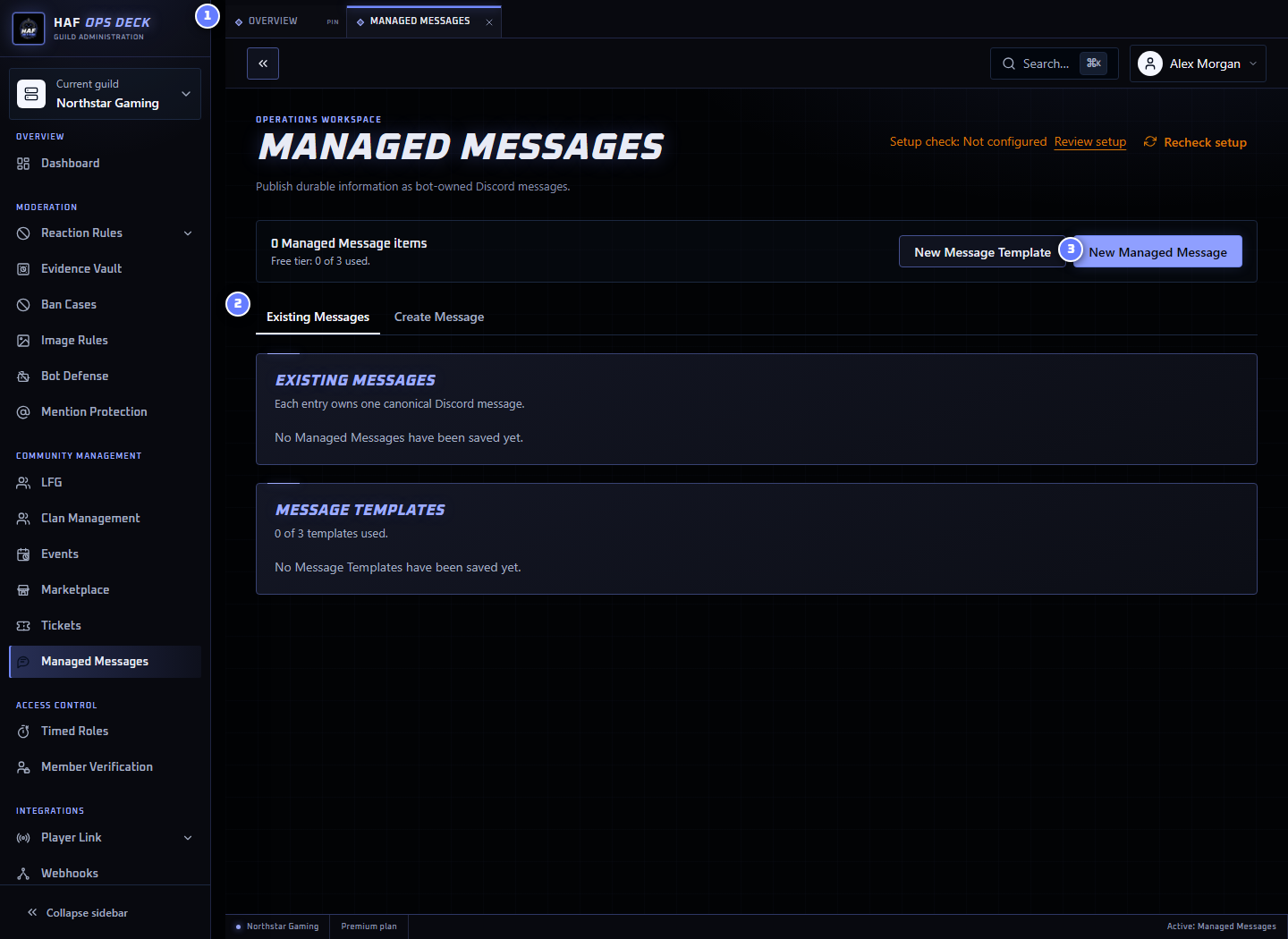
- Message views — switch between the saved list and editor.
- Existing Messages — drafts, scheduled messages, published messages, and messages needing repair.
- New Managed Message — starts a new draft without changing Discord.
To create one:
- Select New Managed Message.
- Give it an internal staff name.
- Choose the destination channel.
- Compose between one and ten ordered embeds.
- Optionally add up to five link buttons.
- Review the Discord preview and announcement mentions.
- Save as a draft, publish now, or schedule its first publication.
Link Buttons
A Managed Message can include up to five buttons that open external links. Each button has:
- a label;
- an HTTP or HTTPS URL; and
- an optional emoji.
Discord displays these buttons in one row below the message embeds. Link buttons open their URL directly and do not trigger a HAF bot action.
Drafts and Templates
A draft is stored in HAF without posting to Discord.
A Message Template can preload reusable content. Applying a template copies it into the draft. Later template edits do not change drafts or published messages that already used it.
Scheduling
A scheduled draft publishes once at the chosen future date and time.
The editor uses the browser's local date and time. HAF converts that selection to a fixed instant before saving it. Check the displayed scheduled time when working from a different timezone or device.
Staff can reschedule or cancel before publication.
If the destination channel is deleted, inaccessible, or no longer allows HAF to send embeds, the draft becomes Failed with a reason. Correct the destination or permissions, then schedule it again.
Temporary Discord failures are retried without intentionally creating duplicate messages.
Publishing and Updating
Publishing creates one bot-owned Discord message.
After publication, saving edits updates that same Discord message. It does not create a new copy or notify announcement targets again.
A published message's destination cannot be changed. Create and publish a replacement when it needs to move to another channel.
Announcement Mentions
The first publication can include structured notifications for:
@everyone;@here; and- selected Discord roles.
Later edits keep the visible mention text but do not send another notification.
Review the preview and notification settings carefully before first publication because one message can notify many members.
Missing Messages and Repair
When someone deletes the Discord message outside HAF, its status becomes Missing.
Open the Managed Message and save it to repair. HAF posts a replacement in the original channel and updates the saved message ID. Repair does not resend announcement notifications.
Repair fails when the original channel no longer exists or HAF cannot send there. Create a replacement Managed Message in a new destination when the original channel is permanently gone.
Deletion
Deleting a draft cancels its schedule.
Deleting a published Managed Message removes both:
- the Discord message, when it still exists; and
- the saved HAF record.
Cleanup still succeeds when the Discord message was already deleted.
Limits
| Tier | Drafts and published messages combined |
|---|---|
| Free | 3 |
| Premium | No plan limit |
| Premium Plus | No plan limit |
Setup Check
Use Setup check to inspect saved destination channels and Discord permissions. It does not save, publish, repair, schedule, or delete a message.