
Appearance
Timed Roles
Timed Roles assign Discord roles that expire automatically.
Before You Start
Create the Discord roles you want HAF to manage, then move HAF Bot's highest role above them. The bot also needs Manage Roles.
Open Admin Dashboard → Timed Roles.
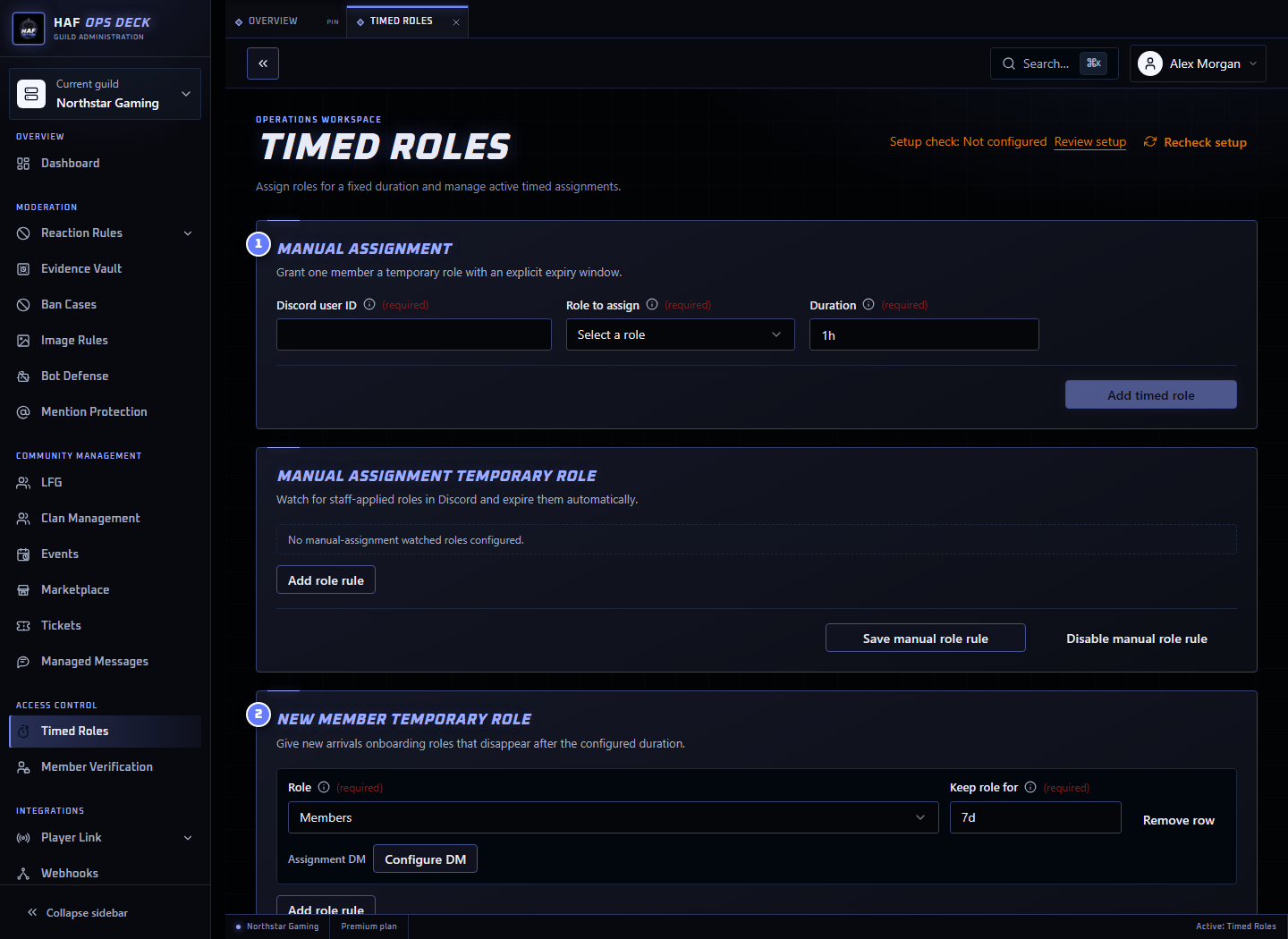
- Manual assignment — give one member a role until a selected expiry.
- New member roles — roles automatically given when a member joins.
- Active timed roles — current assignments and expiry times.
Duration Format
A duration is one positive whole number followed by one unit:
h— hours, such as12hor24h;w— weeks, such as1wor2w; orm— calendar months, such as1mor3m.
Minutes, days, seconds, decimals, and combined values are not supported.
m means months
30m means 30 calendar months, not 30 minutes.
Month expiry keeps the same UTC time and uses the last valid day when the target month is shorter. For example, one month after 31 January expires on the final day of February.
Assign a Role Manually
From the dashboard, enter the member's Discord user ID, choose the role, enter a duration, optionally choose roles to suspend, and select Assign role.
You can also use:
text
/timedrole add user:@Player role:@Muted duration:24hHAF adds the Discord role, saves its expiry, optionally DMs the member, and writes to the configured log or Guild Audit Log.
Assigning the same role to the same member again updates the saved assignment and expiry. If the assignment already suspended roles, HAF keeps its original suspension snapshot; remove the active assignment first if you need to choose a different set of roles.
Suspend Selected Roles While Active
Each dashboard assignment or automation rule can explicitly select Roles to suspend while active. HAF removes only selected roles that the member currently holds. It does not infer roles from Discord hierarchy or remove every lower role.
Suspending a role can temporarily change the member's channel access. Review the selected roles before confirming the assignment.
HAF records the exact roles it actually removed. When the timed role expires or is removed early, it restores only that recorded snapshot. Editing or deleting the automation rule later does not change an active assignment's snapshot.
If two active timed assignments suspend the same member role, HAF waits until the final overlapping assignment ends before restoring it. Deleted roles are skipped. Permission or Discord failures remain recorded and are retried rather than being reported as restored.
New Member Automation
A New Member rule gives the selected role whenever a member joins and creates its timed assignment.
For each rule, choose:
- the Discord role;
- its duration; and
- any roles to suspend while the timed role is active; and
- an optional member DM.
When a member rejoins while an earlier assignment is still active, HAF restores the active role first. It does not create a second overlapping assignment for the same member and role.
Manual-Assignment Automation
A Manual Assignment rule watches for a selected Discord role being added to a member by another admin or workflow.
When HAF receives the member update, it creates a timed assignment using the rule's duration. This lets staff assign the ordinary Discord role and still have HAF remove it later.
This rule does not repeatedly extend an already-active timed assignment merely because Discord sends another member update.
Expiry and Removal
HAF checks for expired assignments periodically. The role may remain for a few minutes after the displayed expiry before the next check runs.
At expiry, HAF:
- removes the role from the member when it is still present;
- restores the assignment's recorded suspended-role snapshot when safe;
- removes the saved timed assignment only after restoration work is complete; and
- writes an expiry event to the configured log.
If the member or role no longer exists, HAF treats Discord's not-found response as cleanup and removes the saved assignment.
If Discord is temporarily unavailable or the bot lacks permission, the assignment remains recorded and a later expiry pass can try again.
Leaving and Rejoining
A member leaving the server does not immediately delete an active timed assignment.
- If they rejoin before expiry, HAF restores the role for the remaining time.
- If the assignment expires while they are away, the next cleanup removes the saved assignment.
- Rejoining after expiry does not restore the role.
Manual Discord Changes
Removing a timed role directly in Discord does not automatically delete its saved assignment. HAF may restore it if the member leaves and rejoins before expiry. Use the Timed Roles page or /timedrole remove when the assignment itself should be cancelled.
Deleting a role from Discord causes later cleanup to remove the stale assignment after Discord reports that the role no longer exists.
Commands
| Command | Result |
|---|---|
/timedrole add | Assigns or updates a member's timed role |
/timedrole remove | Removes the Discord role and cancels its assignment |
/timedrole list | Lists active assignments |
See Discord Commands for parameters and examples.
Test the Workflow
Use a short test duration measured in hours and a non-admin account. Confirm:
- the role is assigned;
- the assignment appears under Active timed roles;
- the optional DM and audit message arrive; and
- the role is removed after expiry.
After saving automation rules, use Setup check to inspect roles, permissions, and role hierarchy. It does not assign or remove a role.