
Appearance
Ban Cases
Ban Cases turn game-server ban webhook messages into one staff Forum thread per player identifier.
Paid feature
Ban Cases require Premium or Premium Plus.
What It Does
For each enabled source, HAF:
- receives a text body at the generated source URL;
- extracts a player identifier, optional display name, and optional reason with a regex;
- creates a new staff Forum thread when that player has no existing Ban Case; or
- appends the new report to the existing thread for that platform and identifier.
Staff can mark a new case Completed. Completion updates the first message, disables the completion button, changes the Forum tag when configured, and writes an audit event.
Completed cases cannot currently be reopened through the Ban Cases workflow. A later report for the same player appends to the existing thread without changing its completed status.
Configure Ban Cases
Create or choose a staff-only Discord Forum and moderator roles, then open Admin Dashboard → Ban Cases.
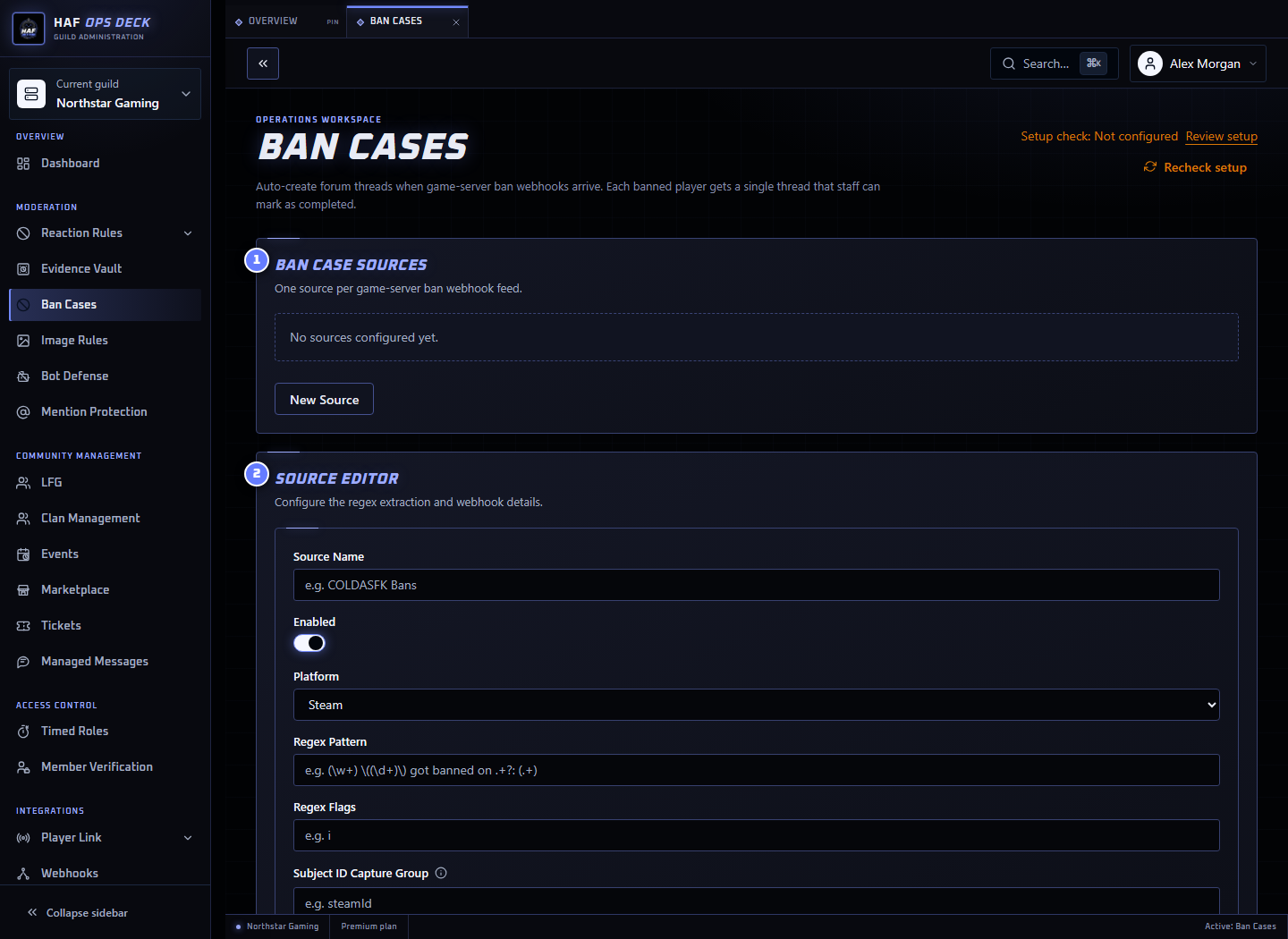
- Ban Case Sources — inbound source URLs for this Discord server.
- Source Editor — source name, platform label, regex, and capture-group names.
- Forum Channel — the private Forum where HAF creates cases.
To configure it safely:
- Select the private Forum and moderator roles.
- Enable Ban Cases.
- Create a source and give it a recognisable name.
- Choose the platform represented by the extracted identifier.
- Enter the regex and named capture-group fields.
- Use Test configuration with fictional data.
- Save the source and review Setup check.
- Copy its generated URL into the game-server tool.
- Send a harmless live test before connecting production bans.
Regex Example
Example body:
text
KXWR.xyz 76561199304898090 got banned on COLDASFK: CheaterPattern:
regex
^(?<username>.+?) (?<subjectId>\d{17}) got banned on .+?: (?<reason>.+)$Source fields:
text
Platform: Steam
Subject ID group: subjectId
Name group: username
Reason group: reason
Extracted result:
text
Player ID: 76561199304898090
Display name: KXWR.xyz
Reason: Cheater
The subject group is required. When the optional name or reason group is missing, HAF uses Unknown or No reason provided.
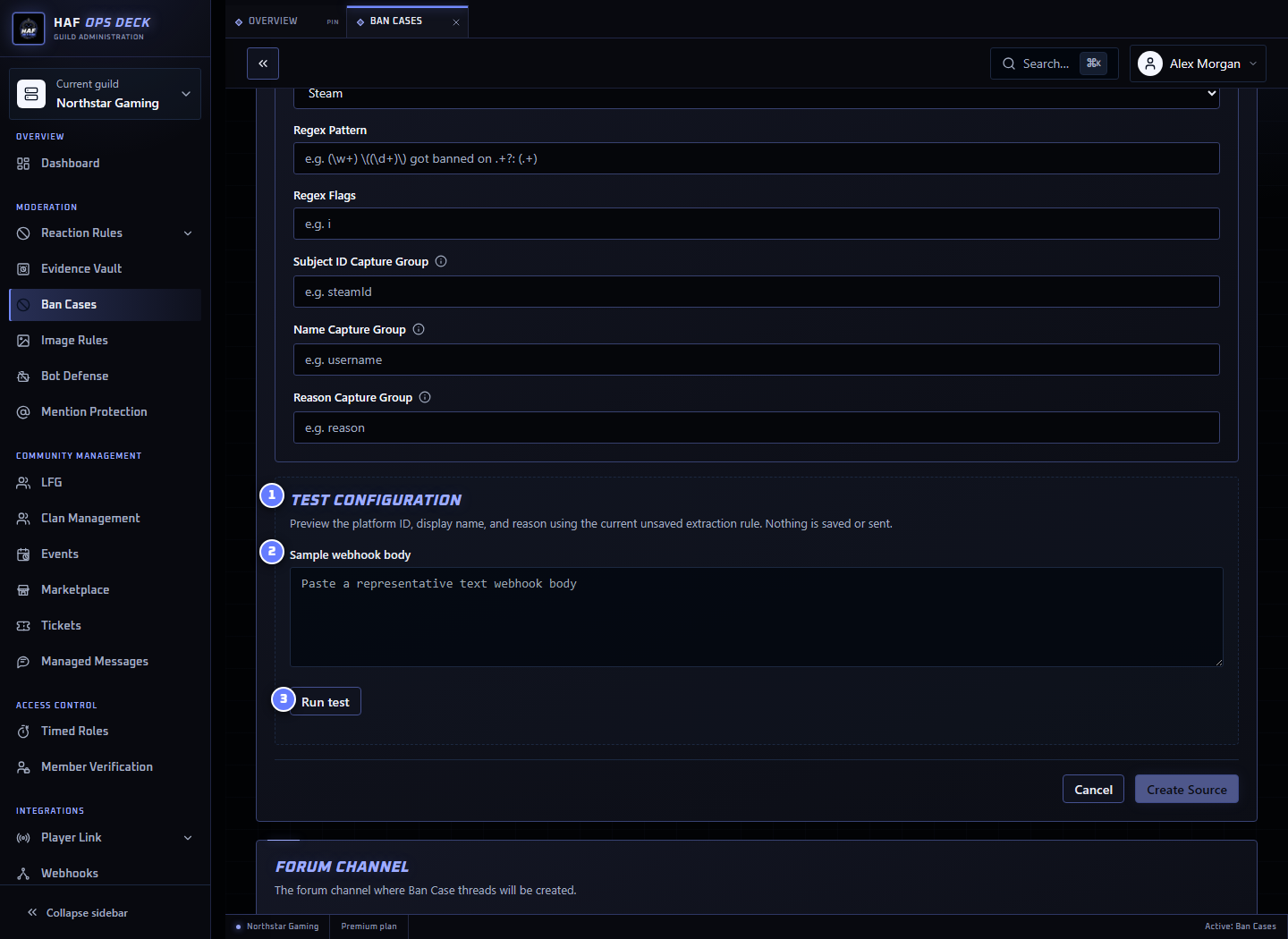
The local tester evaluates the current unsaved pattern. It does not save the source, accept an inbound request, or create a Forum thread.
Platform Meaning
The selected platform tells HAF how to label and group the extracted identifier. It does not authenticate the sender or verify that the identifier exists on Steam, Xbox, PlayStation, or another platform.
A Ban Case is deduplicated by Discord server, selected platform, and extracted subject ID. Two sources reporting the same platform and ID use the same thread.
Existing Case Updates
When another report arrives for an existing subject, HAF adds a message containing:
- source name;
- extracted display name;
- platform and player identifier; and
- extracted reason.
The current case status is not changed automatically.
Source URL Security
Treat each generated source URL as a secret. Anyone with the URL can submit a body while the source is enabled and the server has paid access.
The current Ban Cases endpoint does not validate signature headers, bearer tokens, or a separate shared secret. To revoke an exposed URL, delete the source and create a replacement, then update the game-server sender.
Response and Failure Behaviour
HAF returns HTTP 204 No Content for Ban Case POST requests, including bodies that do not match the regex or requests that cannot create a case. This prevents game-server tools from repeatedly retrying a malformed ban event.
As a result, the sender's successful HTTP response confirms only that HAF received the request. It does not confirm extraction or Forum-thread creation.
Use the local tester before enabling the source, then inspect the Forum and audit destination after a live test. Discord creation failures are logged internally but are not currently exposed as a source delivery log or automatic replay queue.
Completion
Configured moderator roles can select Mark Completed.
Completion:
- changes the saved status from New to Completed;
- updates the starter message with the moderator and completion time;
- disables the completion button;
- replaces the New Forum tag with Completed when available; and
- writes a status-change audit event.
It does not delete or archive the Forum thread.
Current Limits and Gaps
Authentication and recovery
The generated URL is currently the only inbound authentication. A documented payload-size limit, signature verification, failed-delivery queue, source delivery history, and reopen action are not currently exposed as product features.
Setup Check
After saving, use Setup check to inspect the Forum, moderator roles, required permissions, and enabled sources. It does not accept a webhook or create a Ban Case.