
Appearance
Player Link
Player Link connects Discord members to Steam, Xbox, and PlayStation identities. Staff can use the linked identity when handling tickets, bans, marketplace disputes, or evidence.
Link assurance differs by platform
Steam and Xbox use the platform's sign-in flow. PlayStation currently stores a self-reported PSN Online ID. Treat PlayStation links as a useful lookup value, not proof that the Discord member controls that account.
Availability
Free servers can store up to 100 links combined across Steam, Xbox, and PlayStation. Paid plans have no HAF plan limit.
Set Up a Platform
Open Admin Dashboard → Player Link and configure one platform at a time.
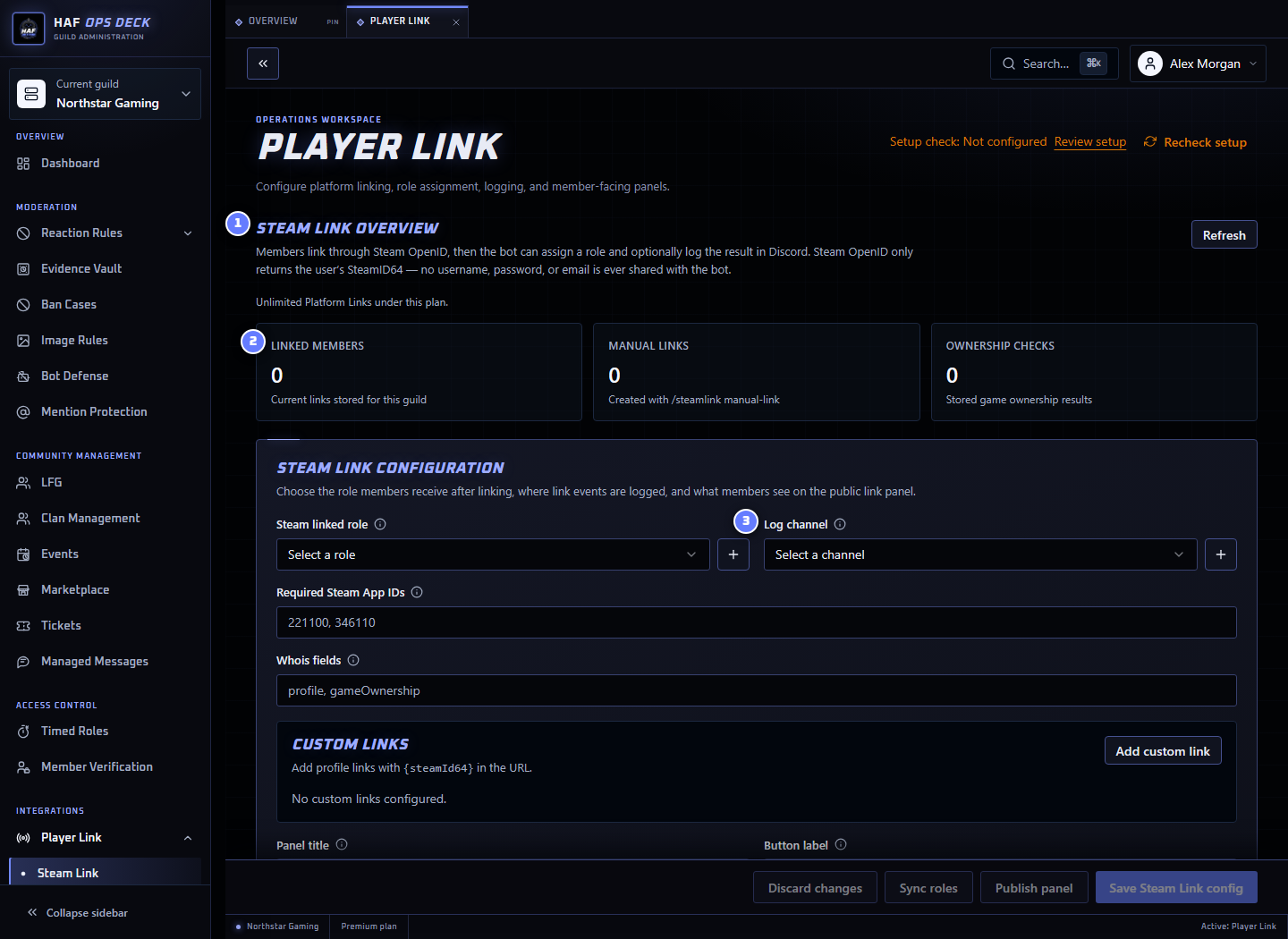
- Platform configuration — settings for Steam, Xbox, or PlayStation.
- Linked members — the current link count for that platform.
- Log channel — optional staff log for links, unlinks, and role syncs.
For each platform:
- Enable the platform.
- Choose the Discord role granted to linked members.
- Choose an optional staff log channel.
- Customize the member-facing panel text and button.
- Choose the panel channel.
- Save the configuration.
- Publish or refresh the panel.
HAF Bot's highest Discord role must be above the linked-member role.
What Members Experience
- The member selects the platform button on the published panel.
- Steam or Xbox sends the member through its sign-in flow. PlayStation asks for a PSN Online ID.
- HAF stores the platform identifier for that Discord member.
- HAF grants the configured linked-member role.
- Staff can look up the link with the platform's
whoiscommand.
Test each enabled platform with a non-admin account. Confirm the link completes, the role is granted, the log is written, and staff can find the identity.
Existing Links, Relinking, and Unlinking
Each platform can allow one link per member or multiple links.
When multiple links are disabled:
- linking the same platform account again reports that it is already linked;
- the same platform account cannot be linked to another Discord member in the same server;
- when relinking is disabled, a member with an existing link must unlink before choosing another account; and
- when relinking is enabled, completing a different platform sign-in replaces the member's previous link for that platform.
Staff manual-link also replaces existing links when the platform is configured for one link per member. Manual links remain staff-created records rather than proof of an interactive platform sign-in.
The unlink command removes the selected link. When the member has several links for the same platform, staff or the member must specify which platform ID to remove.
HAF removes the platform's linked-member role only after the member has no remaining links for that platform. Links remain stored when a member leaves the Discord server, and HAF restores the configured linked role if they rejoin while the link still exists.
Platform Differences
| Platform | Link method | What staff can rely on |
|---|---|---|
| Steam | Steam OpenID | The member completed Steam authentication for the returned SteamID64 |
| Xbox | Microsoft OAuth | The member completed the configured Microsoft/Xbox sign-in flow |
| PlayStation | Self-reported PSN Online ID | The member supplied the ID; HAF does not verify PSN account control |
Manual staff links are administrative records. They do not prove that the member completed the platform's sign-in flow.
Steam Options
App ownership checks
Steam App IDs let staff check whether the linked Steam account reports ownership of selected games. Add App IDs only when that information is useful to your moderation or access workflow.
Custom lookup links
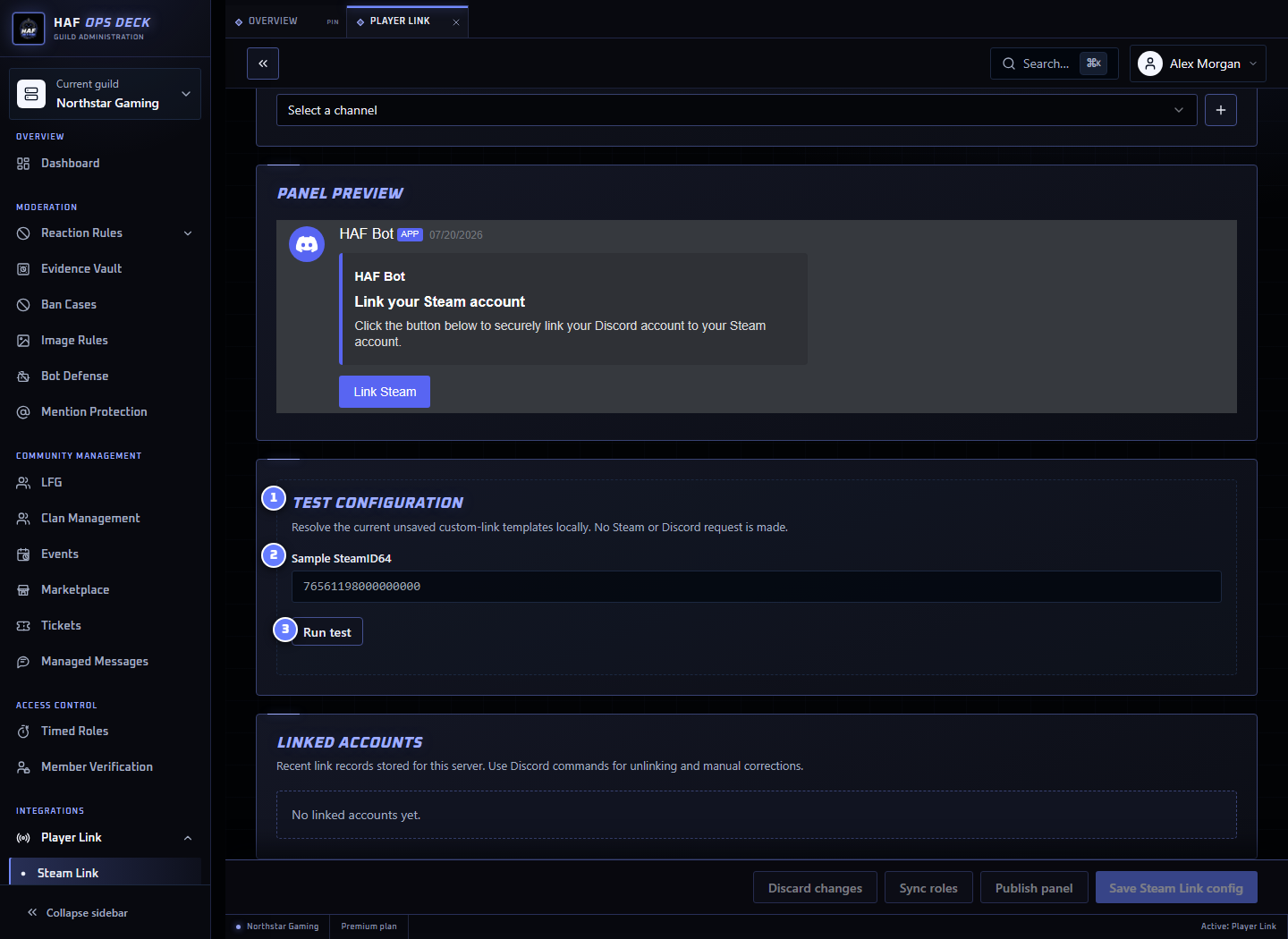
Custom links add staff shortcuts to Steam whois results. Use {steamId64} in the URL template.
Example:
text
https://app.cftools.cloud/profile/{steamId64}Use Test configuration with a fictional 17-digit SteamID64 before saving. The test previews the final URL and reports missing placeholders or invalid URLs. It does not contact the destination website or change a member link.
Staff Commands
requestposts a platform link button in the current channel.whoislooks up a Discord member or platform identifier.manual-linkcreates a staff-managed link.unlinkremoves a link.linkedcountshows the number of linked members for that platform.- PlayStation also provides setup, panel, and role-sync commands.
See Discord Commands for parameters.
Setup Check
After saving, use Setup check to inspect the selected platform's roles, channels, and permissions. It does not run a member link or publish the panel.
If linking succeeds but the role is not granted, move HAF Bot's role above the linked role and check Manage Roles permission.